Skip to content
Run. Connect. Improve.Find your fit
CORE BUSINESS MODULE
Planned

Production & Jobs.
Without the complexity.

Plan orders, materials and production. Works across industries, without requiring an oversized ERP suite. Marketplace listing state is separate from workspace access.

Run your business smoothly for less than $0.17/day.Solo: $5/month per MicroERP, up to 3 users. 30-day equivalent; billed monthly. Setup, infrastructure & usage extra. Proposed scopes quoted separately.
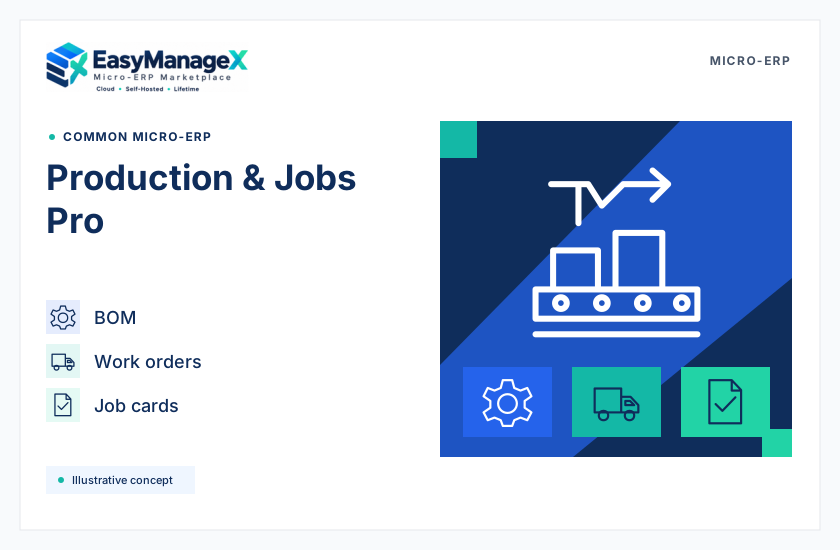
Illustrative preview of Production & Jobs Pro
Illustrative preview
ESSENTIAL CAPABILITIES

Everything that matters.

01BOM

A straightforward way to improve everyday operations.

02work orders

A straightforward way to improve everyday operations.

03job cards

A straightforward way to improve everyday operations.

04quality checks

A straightforward way to improve everyday operations.

SOFTWARE CONCEPT

Explore Production & Jobs.

Illustrative preview of Production & Jobs Pro
All industries
Module concept
PlannedProduction & Jobs Pro

Plan orders, materials and production. A modular toolkit designed for teams across industries.

BOMwork orders

Solo up to 3 users, Startup up to 15, MSME up to 100; Enterprise on request. One monthly fee per selected MicroERP. AI/SMS/WhatsApp credits and actual GB-month cloud storage overage are separate.

Solo · up to 3 users · per MicroERP$10$5/month$0.17/day equivalent · billed monthlyImplementation, infrastructure and metered extras quoted separately.
PLANNED OFFLINE FEATURES

Keep working. Reconnect within 48 hours.

After initial online setup, use configured core workflows and locally available data on your device offline. Reconnect and verify your system to sync saved changes.

Planned for upcoming Micro-ERP releases. Availability and implementation must be confirmed in your final proposal.

Work offline

After initial online setup, keep using configured core workflows and available data on your device. Save changes locally during an internet interruption, within the 48-hour verification window.

Reconnect. Verify. Sync.

After successful online service verification, pending local changes sync with your configured system and agreed destinations. Any conflicts stay visible for review.

A 48-hour verification lock

Your system must verify with the authorized service within 48 hours of its last successful verification. Internet access alone does not renew the window. At the deadline, ERP use locks until verification succeeds; pending local changes remain saved.

Your drive. Your database.

Use a supported connector for files or exports on your own drive, or structured records in your own database. You control the destination and permissions; scope and sync direction are agreed in your proposal.

You pay your chosen drive/database provider. Any EasyManageX-hosted copies follow your cloud storage allowance and usage charges.

AI, SMS, WhatsApp and other internet-dependent services wait until connected.

The same offline verification policy applies to shared-server and dedicated-server hosted plans, with monthly or lifetime licences, and to self-managed software purchases.

PLANNED INTELLISTRA AI

Intellistra AI, inside your Micro-ERP.

Plan AI assistance, clearer reports and reviewed automation around your business, with a custom workflow design capability shaped for your team.

Planned for upcoming Micro-ERP releases. Intellistra currently presents private-beta prototypes; included capabilities and supported integrations need final proposal confirmation.

Ask in context

Plan an assistant that answers business questions using approved, configured ERP context. Access stays within the records and permissions agreed for your build.

Reports that make sense

Explore management summaries, receivables insights and purchase-approval context from supported read-only records. Reporting coverage is confirmed for your integration.

Automation with approval

Plan supported tasks and follow-up workflows with review, permissions and approval steps. Record-changing actions need a validated implementation before they become available.

Design your workflow

A planned EasyManageX capability to shape custom steps, roles, rules and approvals around your process. Your final proposal defines the designer and supported execution scope.

Review each connection

Use reviewed Assistant and AutoConnect concepts to plan connections and field mappings. Connector availability, schema and approved access are agreed before integration.

Stay in control

Plan identity, scoped permissions, approval checkpoints and audit history for AI-assisted work. You review the authorized actions and boundaries for your workspace.

AI runs on usage credits. Rates, credit rules and included capabilities are confirmed in your proposal.

Intellistra AI needs internet access; AI requests wait while your Micro-ERP is offline.

Approved context, supported connections and explicit permissions define what AI can access or do. Actions that change records require a validated implementation and the agreed approvals.

RESEARCH THIS WORKFLOW

Useful guides before the next decision.

Explore the complete knowledge hub →